
AI Video Generators handle video scripts
Script writing is one of the most time-consuming steps in video production. AI video generators automate the process and eliminate writer’s block for faster content creation. Prompt the AI to create a video script that aligns with the objectives outlined in your video brief. Specify the desired length and tone of the video- whether it’s professional, casual, or persuasive. Using AI video tools can help save time by automating many steps of the content creation process. However, it’s still important to provide clear, detailed prompts in order for AI tools to create results that align with your desired outcome and creative vision.
For example, if you are using a AI Video Generator to produce a customer success or demo video, it’s helpful to include specific instructions in your prompt to ensure the video matches the tone, style, and message of your brand. It’s also a good idea to keep your prompt as short and concise as possible so the AI can identify your main objective quickly and accurately. Another thing to consider when prompting the AI is what type of visuals you want in your video. For instance, some AI tools like Synthesia allow users to select from a list of photorealistic avatars to deliver their script. This is an option that can enhance the overall impact of your video, but the realism and quality of these avatars can vary.
Other AI video tools may offer more granular control over editing and stylistic options, such as the ability to customize colors, fonts, and other visual elements. It’s important to understand the level of customization available so you can choose an AI video generator that best suits your needs. Whether you’re creating an animated video, or just want to add text to your footage, AI video generators can help. All you have to do is enter a short script and the software will expand it for you, adding visuals and sound effects where necessary. This makes it easy to create video clips with text that’s both informative and engaging.
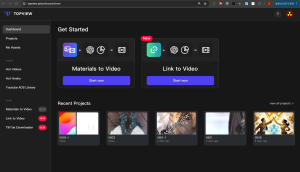
How do AI Video Generators handle video scripts?
You can also use AI to create video from scratch, allowing you to easily and quickly make professional-looking videos. This can save you time and money, especially if you have to produce a large number of videos for marketing campaigns or other purposes. Some AI video generators also offer a curated media library with high-quality stock images and video, making it easier to create videos that look ready for publication without having to edit the footage yourself.
For example, the Snapshot AI from Colossyan allows users to record a likeness of themselves and then generate a personalized video using that person’s voice and face. This is a great way to generate personalized, shareable content for social media that aligns with your brand’s image. However, this technology poses some unique ethical concerns. As AI video creation becomes increasingly refined and harder to distinguish from real-world content, it will become more difficult to prevent the spread of misinformation, propaganda, and other harmful information.
Producing video can be time consuming. Writing a script, sourcing footage, and editing to perfection can take weeks or even months to get from idea to MP4. AI video generators make the production process much faster by automating some parts of the work and saving content creators time.
One of the most important aspects of a successful video is the audio track. The voice needs to be clear, crisp, and above all, top quality. AI Video Editor like Descript can help save a lot of time by automatically separating the audio from the video in the timeline. This saves users from having to scroll back and forth to see if cuts are well done. Another popular option is an AI voiceover tool like Colossyan, which offers a range of avatar options that can recite your script in multiple accents and languages. The tool is customizable, and users can add a personalized touch with customized pauses between speakers. It is a great option for creating training videos and product videos.
Finally, a good AI voiceover tool should also be able to match your audio to your video footage. This is crucial, as it makes sure that the text in your video matches the speech in your audio. Several AI voice over tools have this capability, including ChatGPT and Google’s Imagen.
The explosion of generative AI tools that enable users to create music or lyrics or even produce visual media with nothing more than a few text prompts has raised questions about how it could impact the labor of real-life artists and producers. Some artists online have questioned whether using such tools makes their jobs more or less difficult, and others have wondered about the impact of generative AI on the creativity and emotional depth of creative content.
If you’re a brand that relies on video for marketing, sales, or support, then it’s crucial to have the right tools in place to save time and effort in the creation process. Thankfully, there are several ways to simplify and streamline the production of videos with a video script generator, from automated voice-to-text transcriptions to text-based teleprompters.
The best way to get the most out of a video script generator is to provide a clear, concise prompt that’s specific enough for the tool to understand. The prompt should also explain the tone and style of the content you need, whether it’s formal, conversational, persuasive, or playful. This helps the AI tool create a more personalized, human-sounding script that’s more likely to resonate with your target audience. Once the AI generates a script, review it thoroughly and make any necessary revisions to ensure that it aligns with your goals and message. You may also want to consider adding a little bit of your own creativity and input into the script to elevate its overall quality and appeal.
